1-Wire
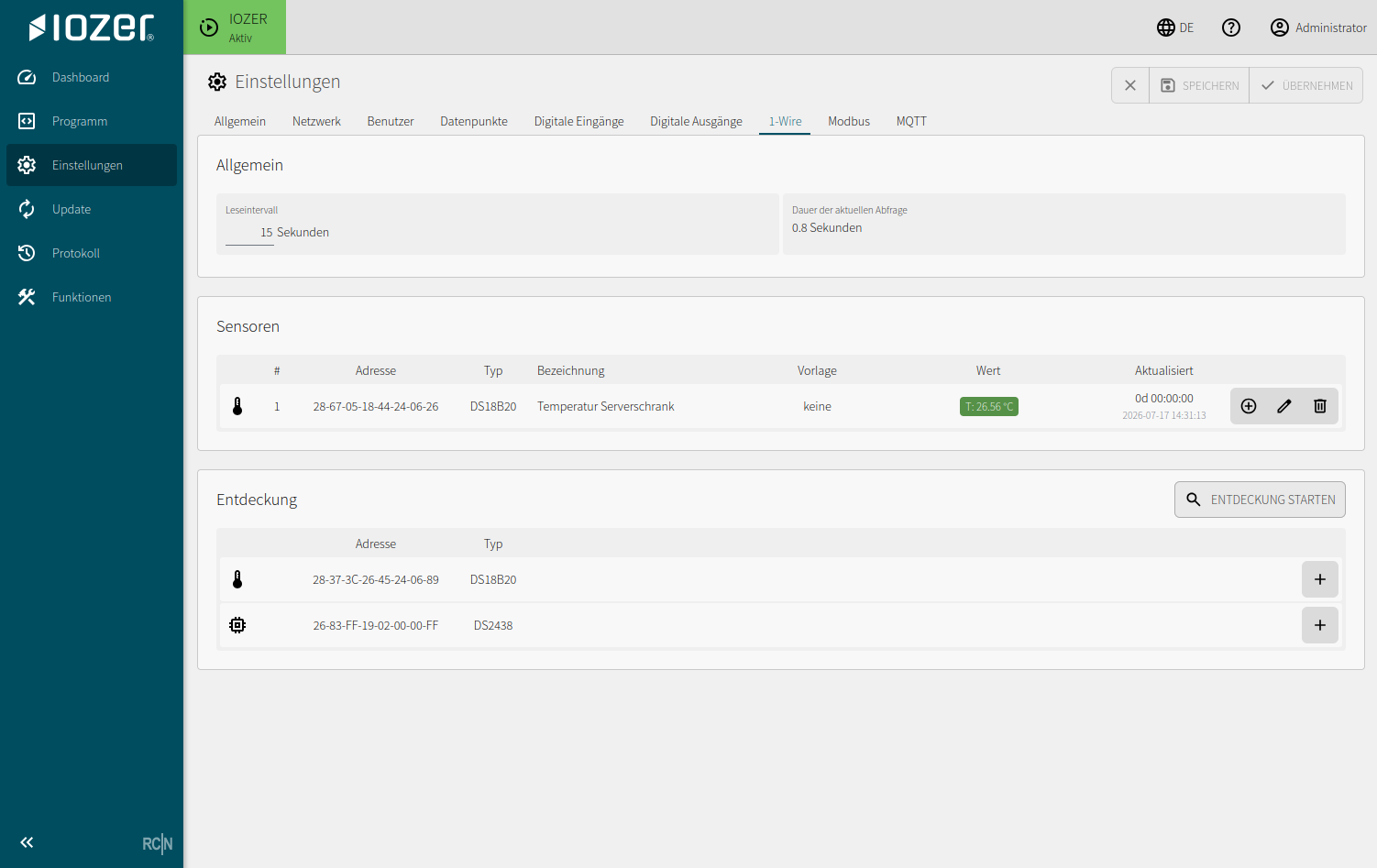
The 1-Wire tab manages connected 1-Wire sensors and the polling interval.
Open I/O & Interfaces → 1-Wire. I/O & Interfaces must be active for operation.
General
| Setting | Meaning |
|---|---|
| Polling interval | Cycle time at which configured sensors are queried |
| Duration of the current poll | Runtime of the current sensor poll |
If the polling duration exceeds the configured interval, the query cannot be completed within the required cycle. In this case, check the wiring, number of sensors, and polling interval.
Sensors
Up to 32 sensors can be configured. DS18B20 and DS2438 are supported.
The sensor list shows the number, address, type, description, template, current value, and time of the most recent update. Configured sensors can be edited or removed.
Editing a sensor
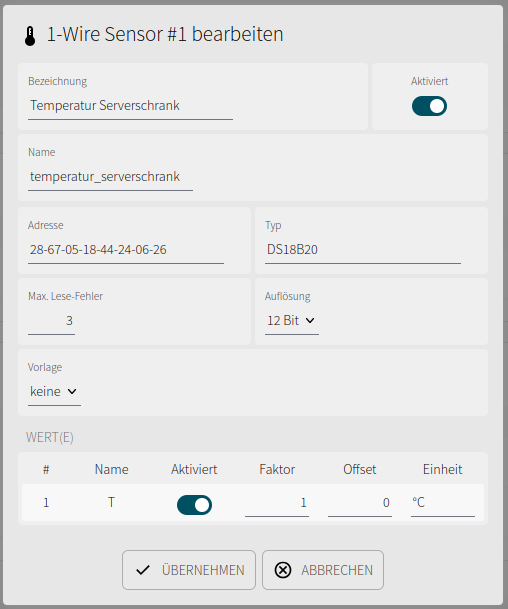
Use the edit action at the end of a sensor row to open the detail dialog for that sensor.
| Setting | Meaning |
|---|---|
| Description | Human-readable sensor name in the web interface |
| Enabled | Enables or disables polling of the sensor |
| Name | Technical sensor name |
| Address | Unique hardware address of the 1-Wire device |
| Type | Detected or selected sensor type |
| Max. read errors | Number of tolerated read errors before the sensor is considered faulty |
| Resolution | Sensor resolution; a higher resolution may increase polling time |
| Template | Optional template for configuring sensor values |
The individual sensor measurements are configured under Value(s):
| Setting | Meaning |
|---|---|
| Name | Technical name of the measurement, such as T for temperature |
| Enabled | Enables or disables processing of the measurement |
| Factor | Multiplies the raw value read from the sensor |
| Offset | Added to the value after multiplication |
| Unit | Unit used for display and further processing |
Scaling follows the formula value = raw value × factor + offset.
Detecting sensors
Start detection scans the 1-Wire bus and lists all devices found. Detected sensors can then be added to the configuration and assigned a description.
Notes
Supported sensors and wiring information are described under Electrical connection.
Measurements are mapped to datapoints for further processing. Local logic therefore reacts to datapoint events rather than directly to individual 1-Wire sensors.