Datapoints
Datapoints form the central value layer of IOZER basic. The Datapoints main menu is used to create, edit, import, export, and monitor datapoints.
Overview
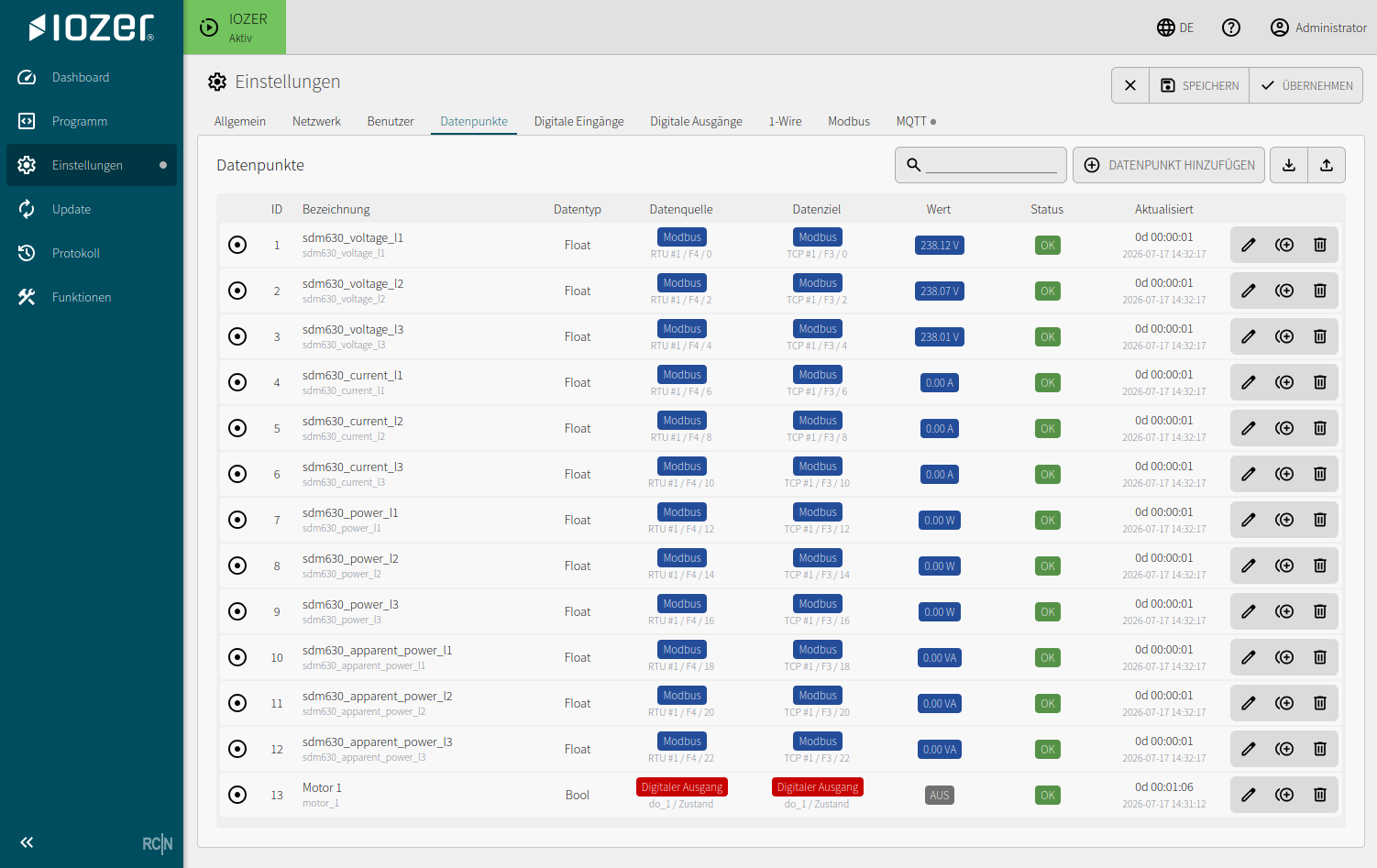
The table shows the following information for each datapoint:
| Column | Meaning |
|---|---|
| ID | Unique internal datapoint ID |
| Description | Display label and technical name |
| Data type | Boolean, Integer, Float, or String |
| Data source | Source from which the value is read |
| Data target | Target to which the value is written |
| Value | Current value |
| Status | Quality of the current state |
| Updated | Age and timestamp of the most recent update |
Use the search field to filter the list. Datapoints can be added and the datapoint list can be imported or exported from the header. Actions for editing, copying, and deleting are available at the end of each row.
Use Copy datapoint for datapoints with a similar structure. In the copy, change only the differing properties such as the description, technical name, unit, and interface address.
Data source and data target
A datapoint can have both a source and a target. Enable Forward to data target to automatically pass source values to the target. Examples:
- A digital input writes a datapoint and the datapoint switches an output
- A 1-Wire sensor updates a temperature datapoint
- MQTT writes a setpoint that is processed by local logic
- A Modbus register becomes available as a datapoint for programming and the dashboard
Forward to data target
This option appears when a data source and a data target are configured and the datapoint is not read-only. It is disabled by default. With I/O & Interfaces active, the first valid source value and subsequent value changes are forwarded to the target. No running program is required. Rapid updates may be combined into a single write of the most recently received value.
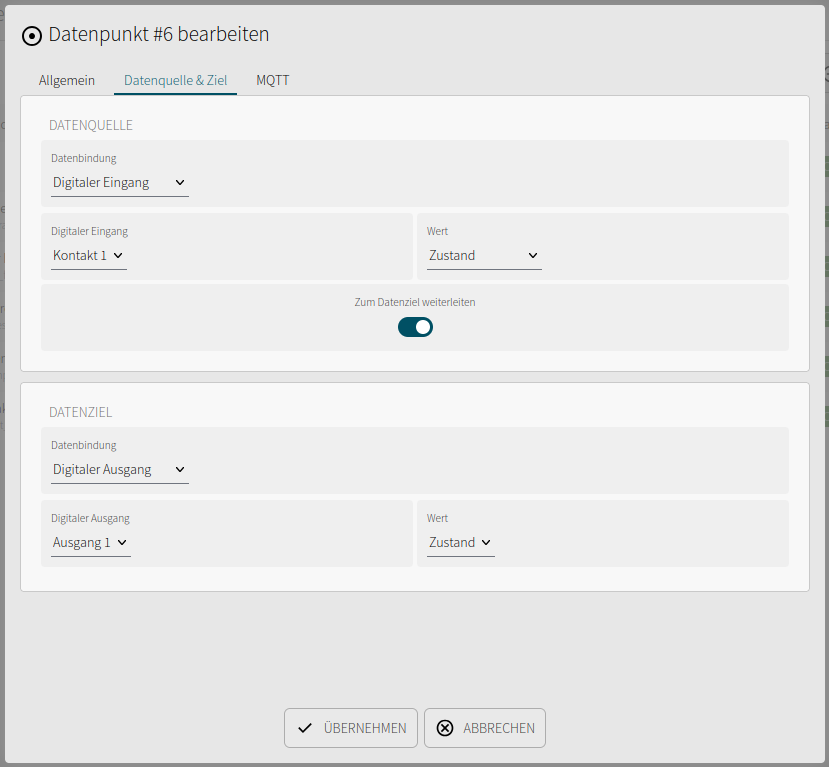
With this option disabled, the source updates the datapoint value; explicit commands such as dp.set, the API, or the datapoint's separate MQTT subscription control the target. These commands work independently of the forwarding option. If a data source is configured, the displayed datapoint value remains its feedback; a target command does not automatically replace it.
For numeric datapoints, MQTT sources and MQTT targets each have their own Factor and Offset. See MQTT scaling for the conversion rules.
Persistence
Boolean, Integer, and Float datapoints can retain their last value across a restart. Strings are not persisted. The persistence option is unavailable for String datapoints.
Import and export
The datapoint list can be exported and imported as an Excel file. The forwarding option, MQTT factor and offset, and Home Assistant settings are included. This is useful for commissioning multiple devices, documentation, or making changes outside the web interface.
The underlying concepts are described under Datapoints.
Home Assistant
Open Home Assistant AutoDiscovery or recall published entries from the ⋮ menu in the datapoint overview. Setup and entity properties are described under Home Assistant.