Home Assistant
Home Assistant AutoDiscovery creates entities in Home Assistant from selected IOZER datapoints over MQTT. Open Datapoints → ⋮ → Home Assistant AutoDiscovery in the main menu. No Home Assistant API token is required.
Requirements
- MQTT is enabled under I/O & Interfaces → MQTT and uses the same broker as Home Assistant.
- I/O & Interfaces are active and MQTT is connected.
- The datapoints are enabled and have appropriate data types, units, and classifications.
Publication remains pending while the broker is disconnected and resumes when the connection is established. AutoDiscovery never enables global MQTT automatically; publication is blocked while MQTT is disabled in its settings.
Publish datapoints
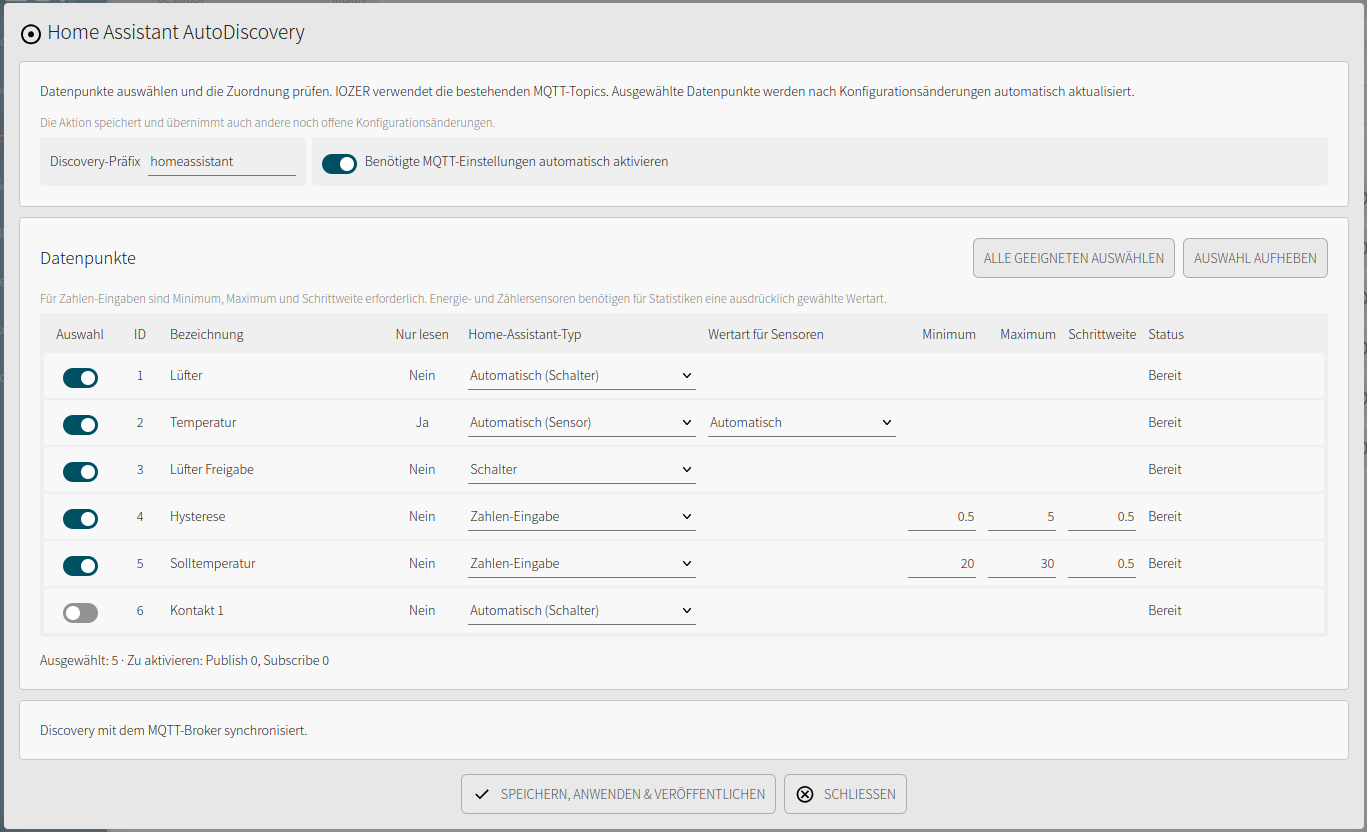
- Open Home Assistant AutoDiscovery from the datapoint overview's menu.
- Select the datapoints and review the suggested Home Assistant type.
- Configure the sensor state class. For Number input, minimum, maximum, and step are required; Integer datapoints require whole numbers for these settings.
- Review the MQTT requirements. Automatically enable required MQTT settings adds missing publish/subscribe settings and alive messages, and shows these changes before saving.
- Choose Save, apply & publish.
This action also saves and applies other pending configuration edits. Existing MQTT topics, including custom topics and the device prefix, are used. The discovery prefix defaults to homeassistant.
Automatic mapping
| Datapoint | Suggested type |
|---|---|
| Numeric measurement | Sensor |
| Writable numeric setpoint | Number input |
| Writable Boolean classified as Lighting | Light (on/off) |
| Other Boolean with a data target or MQTT subscription | Switch |
| Boolean input | Binary sensor |
The suggested type can be changed. Opening, Motion, Presence, and Problem classifications add suitable properties for binary sensors. Device classes for temperature, humidity, and electrical measurements are assigned only for recognized units. Energy and counter sensors require an explicit state class, such as Total or Total increasing, for statistics.
Updates and availability
Selected entries are synchronized after applying configuration changes, on MQTT reconnection, and when Home Assistant announces that it is online. Current valid values are also published. Device availability uses the configured MQTT alive message; individual datapoints are available only when their values are valid and their quality is good.
Home Assistant identity is preserved when a datapoint's name or ID changes. Copies and appended Excel imports receive new identities and are initially unselected for AutoDiscovery. Home Assistant settings are included in datapoint exports and imports.
Recall entries
Open Datapoints → ⋮ → Recall Home Assistant AutoDiscovery, select the entries, and choose Save, apply & recall. Datapoints, values, and MQTT settings are retained. Entries are published again only after they are selected again.
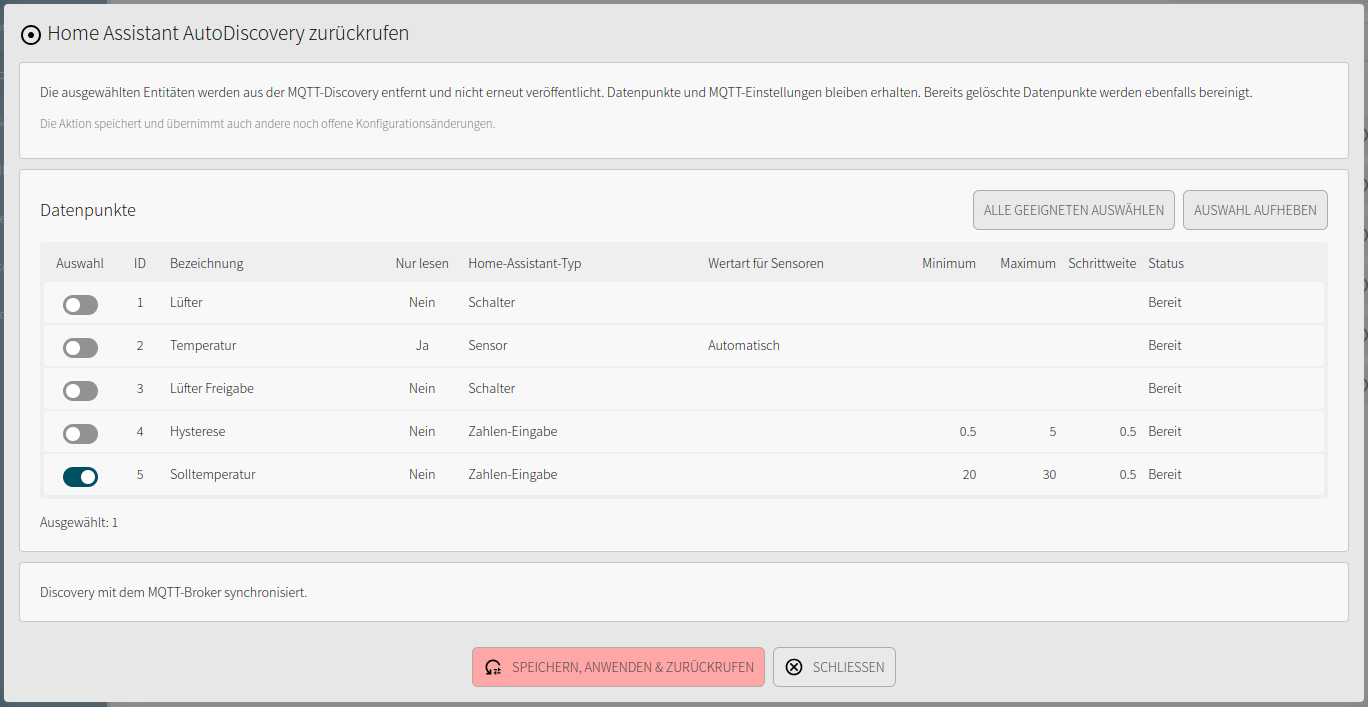
A recall can be saved while MQTT is disabled; it is transmitted once MQTT is enabled and connected again. After a broker change, entries on the previous broker can only be removed by reconnecting IOZER to that broker.