Users
The Users tab manages local user accounts for access to the web interface.
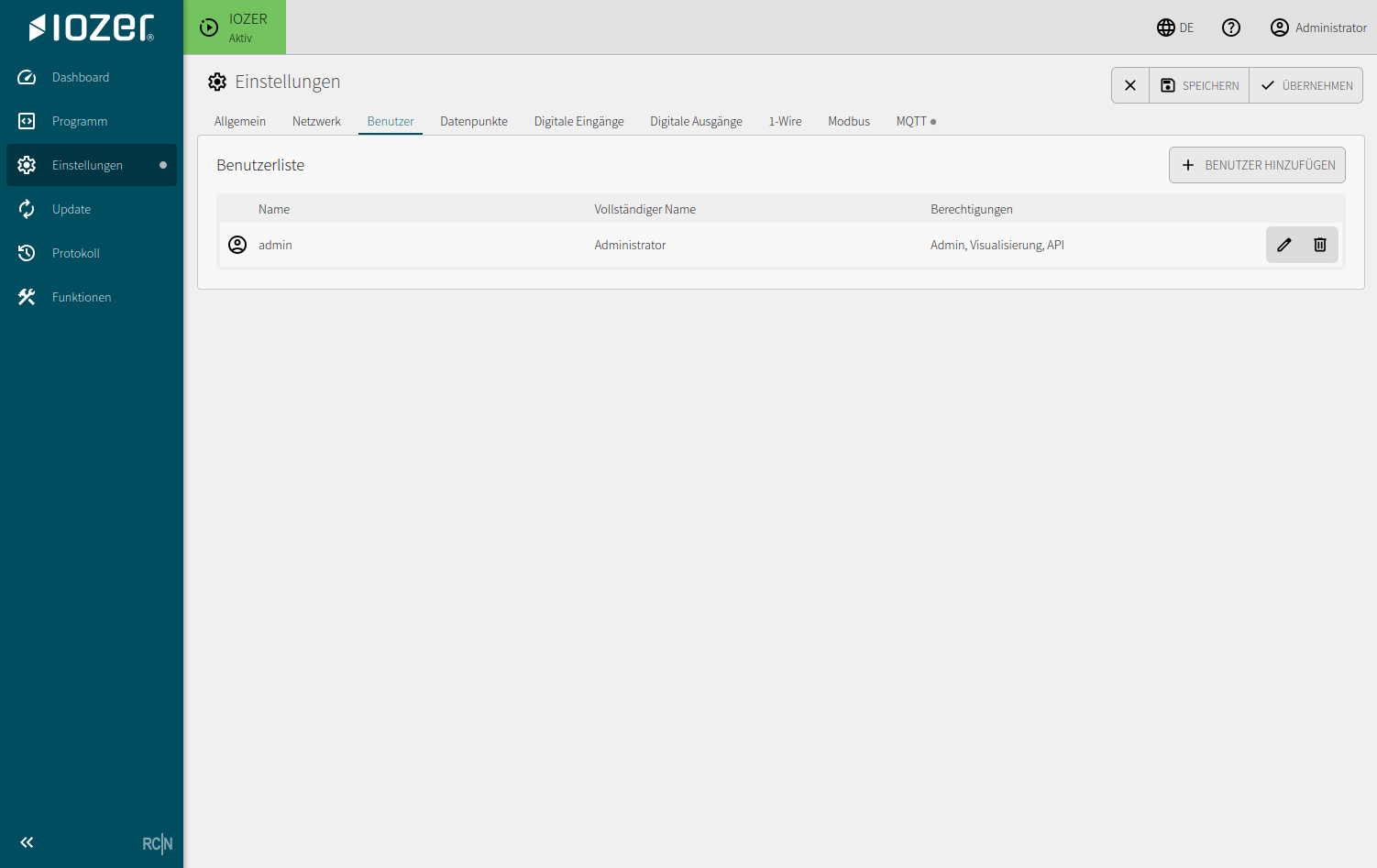
User list
The table shows the configured user accounts:
| Column | Meaning |
|---|---|
| Name | Username used to sign in |
| Full name | Display name of the user |
| Permissions | Assigned access rights, such as administration, visualization, or API access |
| Actions | Edit or delete a user |
Use Add user to create another local user account.
Typical tasks:
- Create a user account for commissioning or service
- Assign permissions appropriate to the user's role
- Remove users that are no longer required
- Change passwords during handover or when the operator changes
Notes
For production systems, use personal or role-based accounts instead of shared credentials. This makes changes and service access easier to trace.
After commissioning, review all passwords and disable or change any documented default access.
The factory-set password must be changed on the first login in normal operating mode. The firmware enables regular configuration and operation only after the password has been changed. This requirement is enforced in normal operating mode; the password can already be changed in setup mode.