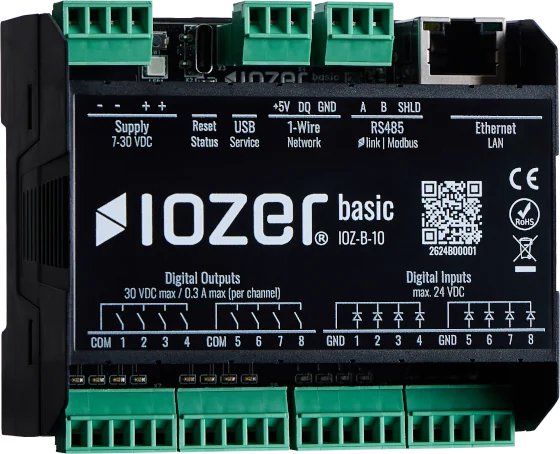
Digital inputs
The Digital inputs tab configures the local input channels.
Open I/O & Interfaces → Digital Inputs. I/O & Interfaces must be active for operation.
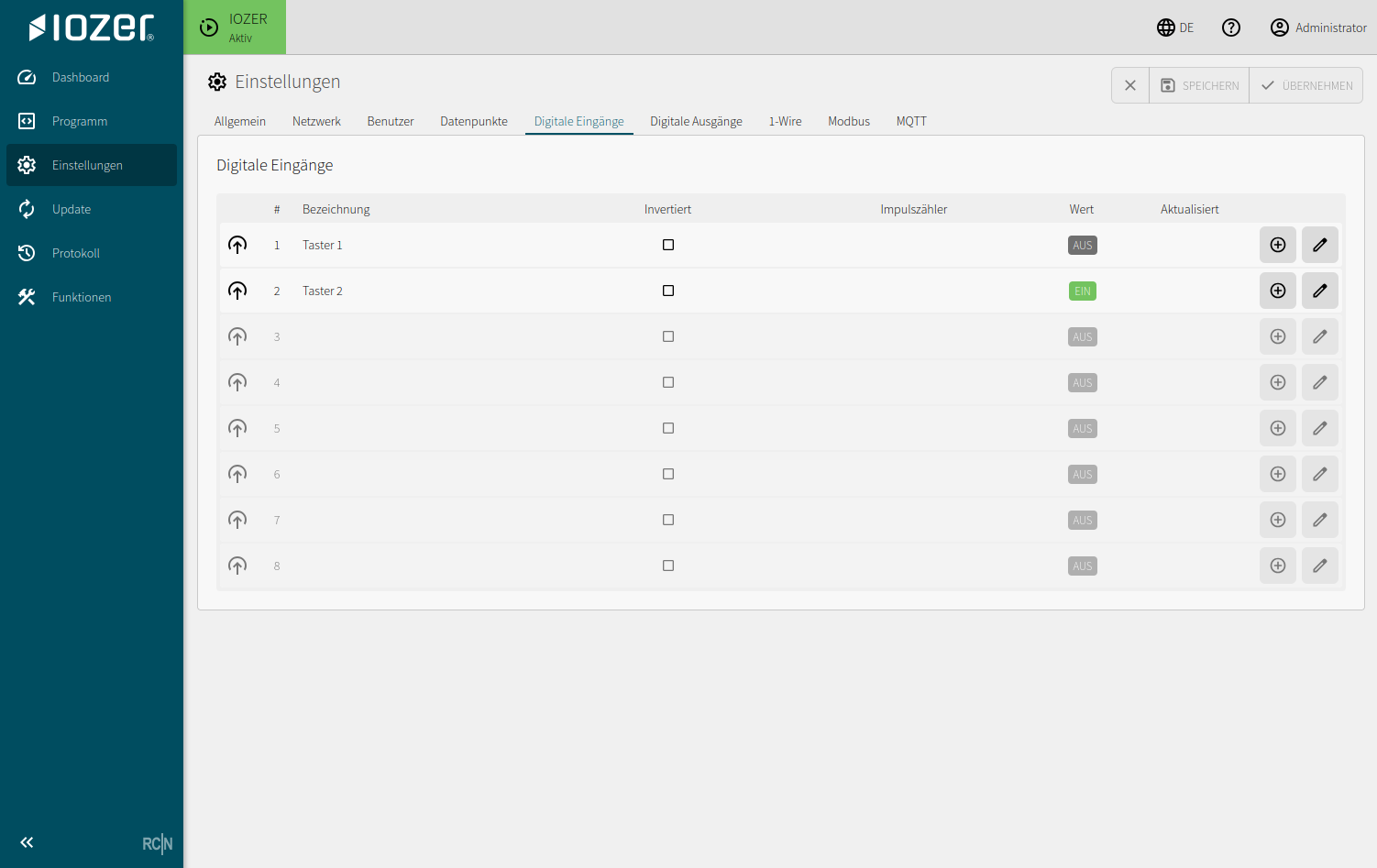
Table
| Column | Meaning |
|---|---|
| # | Physical input channel |
| Description | Human-readable description of the input |
| Inverted | Reverses the logical evaluation of the input signal |
| Pulse counter | Enables counting of input pulses |
| Value | Current logical input value |
| Updated | Age and timestamp of the most recent update |
Editing an input
Use the edit action at the end of a table row to open the detail dialog for that input.
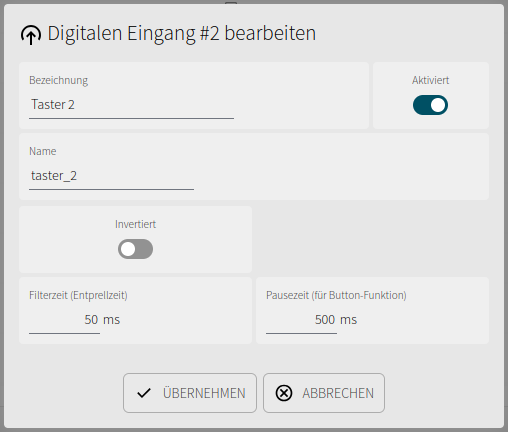
| Setting | Meaning |
|---|---|
| Description | Human-readable name of the input in the web interface |
| Enabled | Enables or disables processing of the input channel |
| Name | Technical name used by datapoints and local logic |
| Inverted | Reverses the evaluated logical input state |
| Filter time (debounce time) | Suppresses short signal changes, such as those caused by bouncing mechanical contacts |
| Pause time (for button function) | Defines the pause between two evaluations of the button function |
Use
A datapoint must be created to use a digital input. Configure the input as the datapoint's data source. Program logic and interfaces then access the datapoint rather than the hardware channel directly.
Typical applications:
- Push buttons and switches
- Fault or enable contacts
- Metering pulses
- Operating or feedback signals
Electrical connection details are described under Electrical connection.