Programming
IOZER basic is programmed locally through the web interface. A program consists of events that react to datapoints, schedules, program states, or interface errors and then execute an action.
For each event, the logic can be created visually using Blockly or as text using JavaScript. Both options use the same event structure and access the same device functions.
Topics
Basic structure
Event -> context data -> Blockly or JavaScript -> action
The event defines when code is executed. Context data describes what triggered the event. An action can, for example, write a datapoint, send an MQTT message, or log a state.
Typical workflow
- Create an event and select a trigger.
- Select the source, such as a datapoint, schedule, or error source.
- Select the script type: Blockly or JavaScript.
- Create and save the logic.
- Apply and run the program.
- Check the result on the dashboard, in the log, or directly at the outputs.
For integrators, it is advisable to decouple physical inputs and outputs using datapoints. This keeps the logic stable even if interfaces, register addresses, or external communication paths change later.
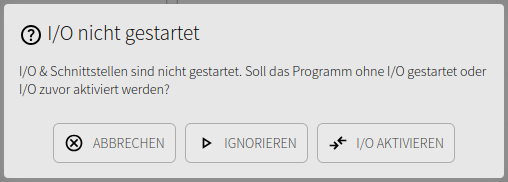
The program and I/O can be started and stopped independently. I/O & Interfaces must be active for hardware access. The program start dialog and autostart settings are described under I/O and interfaces.