MQTT
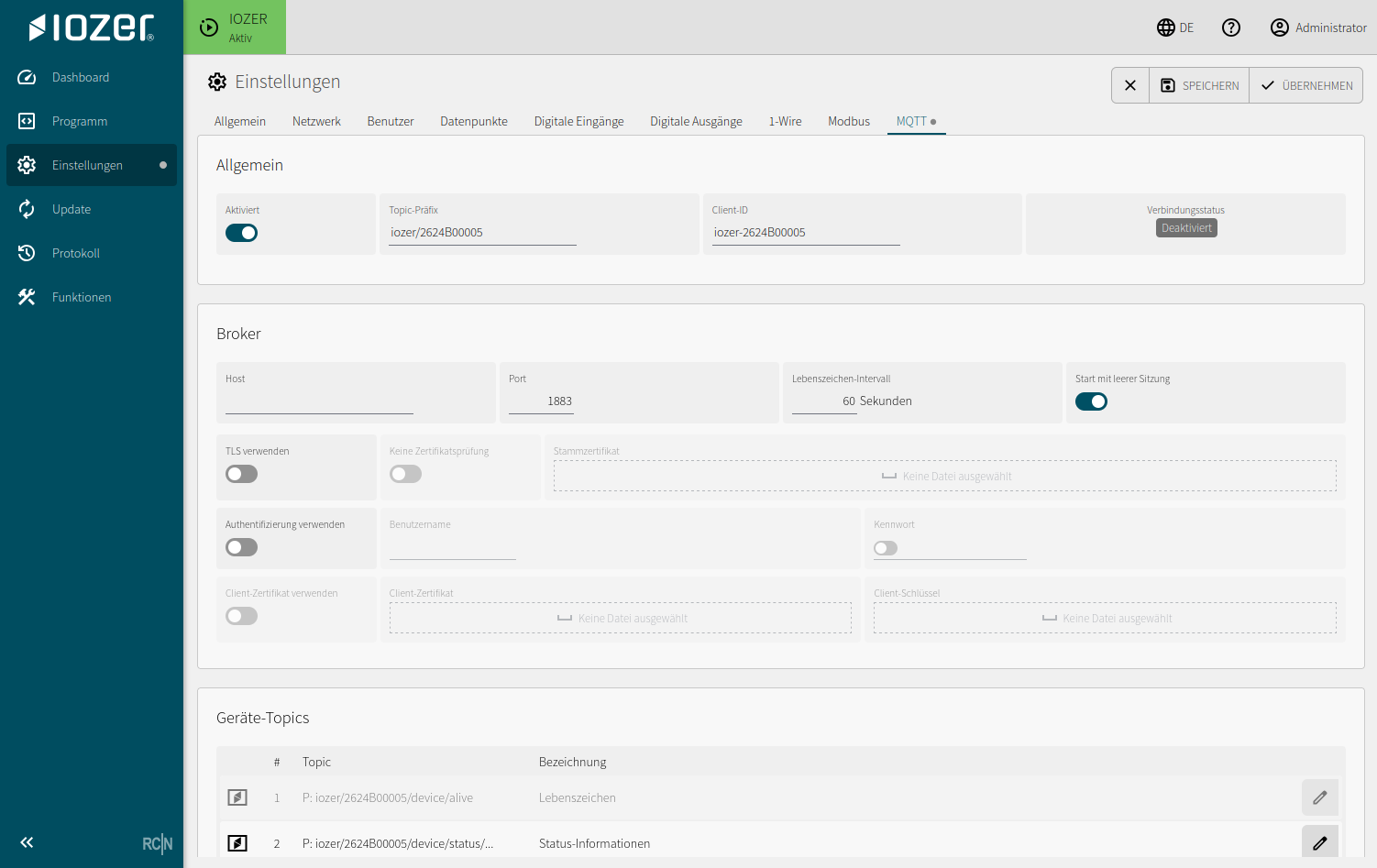
The MQTT tab configures the connection to an MQTT broker and the device-related MQTT topics.
Open I/O & Interfaces → MQTT. I/O & Interfaces must be active for operation.
General
| Setting | Meaning |
|---|---|
| Enabled | Enables or disables the MQTT client |
| Topic prefix | Shared prefix for device-related topics |
| Client ID | Unique MQTT client ID |
| Connection status | Current state of the broker connection |
Broker
| Setting | Meaning |
|---|---|
| Host | Address of the MQTT broker |
| Port | Broker port, typically 1883 without TLS or 8883 with TLS |
| Keep-alive interval | Interval used to monitor the broker connection |
| Start with clean session | Starts the MQTT session without an existing session state |
| Use TLS | Enables an encrypted connection |
| Skip certificate validation | Skips validation of the broker certificate |
| Root certificate | Trusted CA certificate used to validate the broker |
| Use authentication | Enables login using a username and password |
| Use client certificate | Enables certificate-based client authentication |
| Client certificate and client key | Key material used for client authentication |
Device topics
Device topics represent automatically created device-related messages, such as keep-alive and status information. The table shows the number, topic, and description. Complete topics are formed from the topic prefix and the relevant device path.
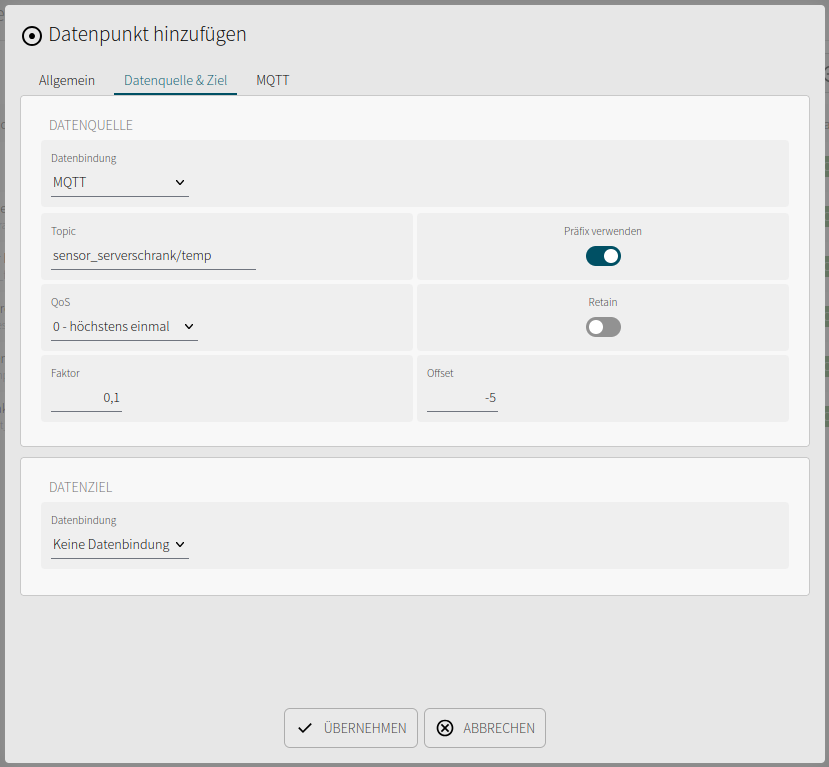
Datapoint values can additionally be published or written directly over MQTT using the configuration of each datapoint.
For simple value integration, prefer the MQTT functions provided by datapoints. Custom MQTT publishing in JavaScript is suitable for project-specific additional messages.
Configure factor and offset for MQTT data sources and targets in the corresponding datapoint. See MQTT scaling. AutoDiscovery is available for Home Assistant integration.